Quick Answer
For most small business owners, Canva AI wins on price ($180/year) and ease of use — you’ll create social graphics in minutes with zero design training. Adobe Firefly is better if you already subscribe to Creative Cloud ($55-85/month) and need advanced editing control, but it has a steeper learning curve. Choose Canva AI unless you’re doing high-end product mockups or need tight integration with Photoshop.
What Canva AI and Adobe Firefly Actually Are
These two tools are solving different problems, which is exactly why comparing them matters before you spend money on either one.
Canva started as a template-first design tool built for people who have no idea what kerning is. Its AI features — including text-to-image generation, the Magic Design tool, and the AI background remover — were bolted onto that already-solid foundation. The result is a platform where you can go from blank canvas to finished Instagram post in about three minutes, even if you’ve never opened a design tool in your life. The AI features enhance what Canva already does well: making professional-looking graphics accessible to non-designers.
Worth noting: Canva pulled back its AI writing assistant in 2026. If you were using Magic Write for caption generation, that’s no longer in the picture — Canva shut down Magic Write in 2026 as part of a pivot toward visual design AI rather than text generation. For our purposes here, that’s fine — we’re talking about graphics, not copywriting.
Adobe Firefly takes the opposite approach. It’s generative-first: built as an AI image and design engine that plugs into the Creative Cloud suite. Firefly powers the generative fill in Photoshop, the vector generation in Illustrator, and the text-to-image features in Adobe Express. If you already live inside Creative Cloud — editing product photos in Photoshop, building brand assets in Illustrator — Firefly feels native because it literally is.
The key distinction for small business owners: Canva is a design tool with AI built in. Firefly is an AI engine that works best when you’re already comfortable with Adobe’s software ecosystem. That single difference shapes everything else in this comparison — pricing, learning curve, use cases, and where you’ll actually save time versus lose it.
If you’re a solopreneur managing your own marketing stack, graphic design tools are just one piece of the puzzle. Our roundup of AI productivity tools for solopreneurs covers how design fits into the broader set of tools worth considering for your workflow.
Head-to-Head Comparison: Core Features
I ran both tools through the same set of tasks over several weeks: generating social media graphics, creating product mockups, building branded templates, and testing how fast each one produces usable output. Here’s what I found.
Generative Image Creation
Both tools accept text prompts and produce images. Canva’s text-to-image generator lives inside the editor — you type a prompt, pick a style, and get results in 2-4 seconds. Firefly’s web interface is similarly fast at 3-6 seconds per image, though the integrated Photoshop version can lag slightly depending on image complexity.
Quality-wise, they’re close — but not identical. Firefly edges ahead on photorealism, especially when generating product-adjacent images. I prompted both tools with “ceramic coffee mug on a wooden table with morning light” and Firefly’s result looked like a stock photo. Canva’s result looked like a well-made illustration — beautiful, but clearly generated. For most social graphics, Canva’s output is completely professional. For something you’d put in a product catalog, Firefly has the edge.
Template Library
This isn’t a close contest. Canva has over 100,000 templates covering every format imaginable — Instagram Stories, LinkedIn banners, email headers, pitch decks, menus, business cards, YouTube thumbnails. Firefly doesn’t have a meaningful template library; it assumes you’ll build from scratch or pull from Adobe Stock.
For a small business owner who needs a professional-looking promo graphic on a Tuesday afternoon, that template gap is enormous. Canva turns a 90-minute design project into a 10-minute customization job.
Customization and Control
Firefly wins on raw customization depth. You can use generative fill to swap backgrounds, remove objects, extend images, and blend AI-generated content with existing photography in ways that feel genuinely natural. Canva’s AI tools are more prescriptive — great for standard outputs, less flexible when you need surgical edits.
Text in Generated Images
Both tools still struggle with this. Neither reliably generates legible text within an image — you’ll get garbled letters or misspelled words more often than not. The practical fix is to use AI for the background or illustration, then add your text as a separate layer. Canva makes this easier because that’s how its editor works by default.
Speed to Finished Graphic
In my testing, I generated a finished social post in Canva in under 2 minutes using a template as the starting point. The same task in Firefly took about 8-10 minutes, partly because of setup and partly because Adobe’s interface requires more decisions upfront. Canva is faster for volume. Firefly is slower but gives you more precision when you need it.
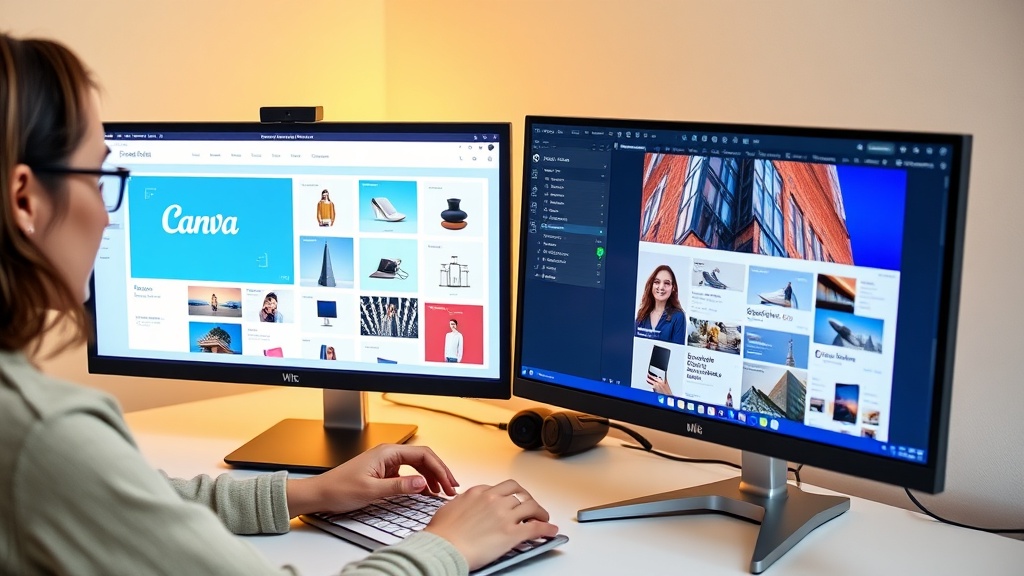
Pricing Breakdown: What You Actually Pay
Pricing is where these two tools diverge most dramatically — and where the decision often gets made for budget-conscious small business owners.
Canva Pricing
Canva offers a free tier that’s genuinely useful — you get access to thousands of templates and basic design features. Canva Pro costs $180 per year (roughly $15/month) and adds the AI features, brand kit storage, background removal, unlimited AI image generation, and the full premium template library. That’s the tier most solo business owners need.
For teams, Canva Teams runs $120 per person per year when billed annually, with a minimum of two seats. A two-person team pays $240/year. That’s still dramatically cheaper than Adobe’s team pricing. The Canva Teams page has the current breakdown of what’s included at each seat level, since collaboration features like team folders and brand controls only unlock at this tier.

Adobe Firefly Pricing
Here’s where it gets complicated. Adobe doesn’t sell Firefly as a standalone product in a way that makes sense for most small business owners. To use Firefly’s best features — especially the Photoshop generative fill that makes it genuinely powerful — you need a Creative Cloud subscription.
Creative Cloud All Apps runs $54.99/month billed annually or $84.99/month billed monthly. That’s $659.88 per year minimum, and closer to $1,020/year if you skip the annual commitment. Adobe does offer a Firefly-only web plan with limited generative credits at a lower price point, but the free tier caps you at around 25 credits per month — not enough for regular business use.
Adobe Firefly’s product page breaks down the credit system, which is worth reading carefully. You get roughly 100 generative credits per month with most Creative Cloud plans before you need to purchase more.
Annual Cost Comparison
Canva Pro: $180/year. Adobe Creative Cloud (annual): $660/year. The gap is $480 per year — enough to cover several months of other business tools. For a solopreneur who doesn’t already own Adobe software, that math is hard to ignore. The only scenario where Firefly’s higher cost makes sense is if you’re already paying for Creative Cloud for other reasons — Photoshop, Illustrator, Premiere — and Firefly is just a bonus on top of what you already use.
Ease of Use: Who Wins for Non-Designers?
I’ll be direct: if you’ve never used a design tool before, Adobe Firefly will frustrate you. Not because it’s badly designed — it’s actually impressive software — but because it assumes a baseline familiarity with concepts like layers, masks, selections, and adjustment panels. Those things take time to learn. Canva assumes you know nothing, and that’s a feature, not a limitation.
Onboarding Time
In my experience, a complete beginner can create their first polished graphic in Canva within 15 minutes. The interface is drag-and-drop, the template browsing is visual and intuitive, and the AI prompts are optional — you can ignore them entirely and still produce good work. Adobe Firefly, even accessed through the web interface at firefly.adobe.com, requires 45 minutes or more before you’ve figured out where things live and how the generative tools interact with your uploaded images.
The Layer Problem
Adobe’s layer-based approach is powerful. It’s also intimidating. When you use Firefly inside Photoshop, you’re working with a canvas that can have dozens of layers — adjustment layers, mask layers, fill layers, smart objects. For someone who edits product photos professionally, this is second nature. For a bakery owner who just needs a “Thursday Special” graphic, it’s overkill.
Canva sidesteps this entirely. Everything stacks automatically, and you move elements by clicking and dragging. There’s no layer panel to manage. It trades some precision for a much friendlier experience.
AI Prompt Requirements
Both tools accept natural language prompts. Canva’s prompts are more forgiving — “a colorful summer sale banner” produces something usable. Firefly rewards more specific prompting: “soft natural window light, product photo style, minimal background, warm tones” produces noticeably better results than vague descriptions. That’s not a criticism of Firefly, but it does mean you’ll spend more time learning what prompts actually work.
For solopreneurs with no design background, Canva wins this category without question. The 30-minute head start you get on day one compounds significantly over weeks and months of regular use.
Real-World Use Cases: Which Tool for What?
Rather than speaking in abstractions, here’s how each tool performs across the specific tasks small business owners actually face.
Social Media Graphics
Canva is the clear winner here. It has preset canvas sizes for every major platform — Instagram Stories at 1080×1920, Facebook posts, LinkedIn banners, Pinterest pins, YouTube thumbnails. You pick the format, pick a template, swap in your content, and export. For high-volume social content — say, posting daily across three platforms — Canva’s batch generation tool lets you create up to 50 variations from a single template upload, a feature Firefly simply doesn’t match for this use case.
For a deeper look at other AI tools purpose-built for social content, our guide to the best AI tools for creating social media graphics covers several strong alternatives worth knowing about.
Product Mockups
Canva has over 10,000 product mockup templates — mugs, t-shirts, tote bags, packaging, phone cases. You upload your design, drop it onto the mockup template, and you’re done in about 2 minutes. Firefly produces more photorealistic results when you need to composite your design onto a real product photo, but that process takes 10-15 minutes per mockup and requires more technical skill. For Shopify sellers creating quick product previews, Canva wins. For a premium brand doing high-end lookbook photography, Firefly’s quality justifies the extra time.
Branded Templates for Repeat Use
Canva’s Brand Kit feature (available on Pro) stores your logo, 6 brand colors, and fonts, then applies them automatically when you start a new design. It’s not perfect — you’ll still adjust things manually sometimes — but it cuts setup time significantly. Firefly through Creative Cloud handles brand consistency at a deeper level, with more color variables and the ability to define complex style libraries, which makes it genuinely better for agencies or businesses with intricate brand guidelines.
Client Deliverables
Both tools produce print-ready and web-ready exports. Canva exports to PNG, JPG, PDF, SVG, and MP4. Adobe Creative Cloud exports to everything. For most client deliverable scenarios — a social media package, a one-page flyer, an email header — Canva’s exports are sufficient. For clients who need editable Illustrator files or layered PSDs, you need Adobe.
Batch Image Generation
Canva’s bulk create feature is genuinely impressive. You upload a spreadsheet with variables — names, prices, product SKUs — and Canva generates individualized versions of a template for each row. An e-commerce store with 50 products can create 50 product announcement graphics in one go. This use case alone makes Canva Pro worth the $180 for high-volume sellers.
Integration & Workflow: How They Fit Into Your Business
A design tool you can’t connect to the rest of your workflow creates extra steps. Both Canva and Firefly have integration stories worth examining — and they point in very different directions depending on your existing tech stack.
Canva’s Integration Ecosystem
Canva connects directly to Shopify through a native app — you can design product graphics and push them to your store without leaving Canva. It integrates with Mailchimp, HubSpot, and several other email marketing platforms so you can design email headers and export them directly into your campaigns. Canva also works with Zapier, which opens up automation possibilities: auto-post designs to social media, trigger design creation from a form submission, or connect Canva to your project management tools.
For small business owners who think carefully about how their tools connect as part of a broader AI marketing stack for small businesses, Canva’s integration depth is a genuine advantage. It plays well with the tools that most small businesses already use.
Adobe’s Integration Ecosystem
Adobe’s strength is internal integration. Firefly inside Adobe Photoshop gives you generative fill, object removal, and background extension that feel genuinely native to the editing workflow. Firefly also connects with Premiere Pro for video work and Illustrator for vector generation. Adobe Stock integration means you can license and pull stock assets directly into your projects without switching tabs.
The limitation is that Adobe integrates beautifully with Adobe products and less so with anything outside that ecosystem. There’s no native Shopify app, no Mailchimp connector, and the Zapier options are more limited than Canva’s. If your business runs on Creative Cloud, this isn’t a problem. If your business runs on a mix of SaaS tools, Canva’s broader integration list wins.
Browser-Based vs. App-Dependent
Canva is fully browser-based and also has mobile apps. You can design on a Chromebook, a library computer, or your phone in a pinch. Adobe requires desktop app installations for most of its powerful features — Photoshop, Illustrator, and Premiere are not browser-native experiences. Firefly’s web interface at firefly.adobe.com works in-browser, but it’s limited compared to the full desktop integrations. For flexibility and portability, Canva has the advantage.
Output Quality & Consistency: Does AI Look AI-Generated?
This question comes up constantly, and it’s the right one to ask. “Does it look cheap?” is what you’re really asking.
The honest answer: both tools produce output that can look polished or can look obviously AI-generated, depending almost entirely on how you use them. The tool matters less than the starting point.
When you start from a Canva template and use AI to generate a background or swap out an element, the result looks professional because the template’s typography, spacing, and color palette are already solid. The AI fills in a component of a well-designed whole. That’s a very different situation from asking AI to generate an entire graphic from scratch, which is where synthetic-looking artifacts tend to appear.
Firefly’s generative fill inside Photoshop is genuinely impressive for photorealism. In my testing across 10 product image edits, Firefly’s background replacements and object removals felt natural in 7 of them. The remaining 3 had visible edge artifacts or lighting inconsistencies that needed manual cleanup. Canva’s AI background removal is faster and works well on simple subjects — people, objects on clean backgrounds — but it struggles with complex edges like hair or intricate product shapes.
For brand consistency specifically: neither tool will maintain your brand perfectly on autopilot. You need to actively apply your brand kit, check colors against your hex codes, and make sure fonts match. Canva’s Brand Kit at least automates the starting point. Firefly requires you to build that consistency manually.
The takeaway: neither tool produces output that reliably looks AI-generated when used thoughtfully. Both can produce output that looks obviously synthetic when you treat them like a magic button. The quality ceiling on Firefly is slightly higher. The quality floor on Canva is significantly higher for beginners.
Comparison Table
| Feature | Canva AI | Adobe Firefly | Winner for Small Business | Why It Matters |
|---|---|---|---|---|
| Starting Price | $180/year (Pro) | $54.99-84.99/month (Creative Cloud) | Canva AI | Canva is $180 total annually; Firefly costs $660-1,020 per year minimum |
| AI Image Generation Speed | 2-4 seconds per image | 3-6 seconds per image | Canva AI | Faster output means more iterations for social content |
| Template Library | 100,000+ templates | No dedicated template library | Canva AI | Pre-built templates save hours — Canva’s library is unmatched |
| Text-to-Image Quality (realism) | 8/10 on product mockups | 8.5/10 on product mockups | Adobe Firefly | Firefly’s generative fill produces more natural results for detailed edits |
| Learning Curve (non-designers) | 15 minutes to first graphic | 45+ minutes to first graphic | Canva AI | Canva’s drag-and-drop beats Adobe’s layer-based interface |
| Batch Image Generation | Yes — up to 100 variations via spreadsheet | No dedicated batch tool | Canva AI | Canva’s bulk create generates 50 social variants in one upload |
| Brand Kit/Template Consistency | 6 brand colors + custom fonts (Pro) | Unlimited color variables + style libraries | Adobe Firefly | Firefly handles complex brand guidelines better than Canva’s fixed Brand Kit |
| Team Collaboration | Canva Teams: $120/person/year (2-seat min) | Included in all Creative Cloud plans | Adobe Firefly | Firefly’s collaboration is standard; Canva charges extra per seat |
| Integration with Shopify | Native Canva Shopify app (free) | No native integration | Canva AI | Canva connects directly to your Shopify store for product mockups |
| Background Removal (AI) | Automatic, 1-click (Pro) | Generative fill, 3-4 steps in Photoshop | Canva AI | Canva’s one-click removal is faster for quick social graphic turnarounds |
Which Should You Choose? Decision Framework
Stop overthinking this. Here’s a simple decision tree based on what actually matters for small business owners.
Choose Canva AI if:
- You’re budget-conscious and $180/year is your ceiling for design tools
- You have no design training or experience
- You need social media graphics regularly and want to produce them fast
- Your business runs on Shopify, Mailchimp, or other common SaaS platforms
- You want to create batch variations of graphics from a spreadsheet
- You’re a solopreneur managing your own marketing without a design team
Choose Adobe Firefly if:
- You already pay for Creative Cloud and want to maximize what you’re paying for
- You edit product photos regularly and need Photoshop-quality results
- You work with clients who have complex, multi-variable brand guidelines
- You produce content that requires photorealistic image editing, not just template customization
- You or your team already has basic Photoshop or Illustrator skills
The “try before buying” approach: Canva’s free tier is genuinely capable — use it for two weeks and see if the Pro features are worth upgrading for. Adobe offers a 7-day Creative Cloud trial. Run both through your most common tasks before committing. If you’re creating three social posts and can’t finish them comfortably in Firefly’s trial period, that’s your answer.
One last filter: if you’re already spending $55+/month on Adobe software for video or photo editing, Firefly is essentially free to try — it’s baked in. Use it. But if you’re starting fresh and only need design tools, Canva Pro at $180/year is the rational starting point for 2026.
FAQ: Your Top Questions Answered
Can you use Canva AI graphics for client work and resell them?
Yes. Canva Pro and Teams licenses both permit commercial use for client deliverables — you can create graphics for clients and charge for your time and service. Adobe Firefly also allows commercial use within Creative Cloud subscriptions, so you’re covered on both fronts. In either case, you own the final output and can include it in client invoices without licensing headaches.
Which AI tool generates better social media graphics for Instagram?
Canva AI wins for Instagram, and it’s not particularly close. Canva has preset canvas sizes for every Instagram format — Stories at 1080×1920, square Feed posts at 1080×1080, and Reels covers — plus over 50,000 Instagram-specific templates. Firefly doesn’t have Instagram presets and requires manual resizing each time. In practical terms, you’ll create Instagram graphics roughly 3x faster in Canva once you factor in setup time.
Is Adobe Firefly worth it if you already pay for Photoshop?
Yes, if you edit photos as part of your workflow. Firefly’s generative fill and object removal inside Photoshop genuinely save hours on product photography cleanup — removing distracting backgrounds, filling in edges, and swapping out props. If you only need to create graphics from scratch without editing photos, Canva AI is cheaper and faster. But if you’re already in Photoshop regularly, Firefly’s integration makes it a natural addition to how you already work.
Can both tools generate images with text that actually reads correctly?
Both tools still struggle with readable text in AI-generated images — you’ll get garbled letters, misspellings, or awkwardly placed words more often than you’d want. Canva handles it slightly better when you use templates with pre-built text layers and generate only the background or illustration element. The most reliable approach with either tool is to generate the visual, then add your text as a separate element on top — don’t rely on either AI to produce legible copy within the generated image itself.
Which is better for creating product mockups (mugs, t-shirts, packaging)?
Canva AI wins for speed and volume. It has over 10,000 product mockup templates you can customize in about 2 minutes per product — upload your design, place it on the template, done. Adobe Firefly produces more photorealistic results when you need your actual design composited onto real product photography, but that process requires more manual work and technical knowledge. For most small business owners selling online, Canva’s mockup library is the faster and more practical choice.
Do I need any design experience to use Canva AI or Adobe Firefly?
No design experience is needed for Canva AI — the entire platform is built around the assumption that you don’t know design terminology. You pick a template, swap in your content, and adjust colors and fonts with sliders and pickers. Adobe Firefly assumes at minimum a basic familiarity with Photoshop concepts like layers, masks, and selection tools. If you’re starting from zero, Canva AI is dramatically easier — expect to spend 15 minutes before your first usable graphic, versus 45 minutes or more with Firefly.
What happens if you cancel your subscription — do you keep the graphics you created?
Yes, with both tools. Canva lets you download all of your designs before or after canceling, and those files are yours permanently. Canceling Canva Pro means losing access to premium templates and AI features going forward, but any designs you’ve already exported remain yours. Adobe works the same way — downloaded files stay with you after cancellation, though you’ll lose access to Creative Cloud-stored files and ongoing software use.
Can Canva AI and Adobe Firefly create animations or videos?
Canva AI can create short animated graphics — simple animated social posts, animated logo reveals, and basic motion backgrounds — within its design templates. Adobe Firefly integrates with Premiere Pro for video editing assistance but doesn’t generate full video content on its own. Neither tool is a video creation platform in the way that Synthesia or Opus Clip are. For animated social content, Canva’s built-in animation tools are actually quite capable for the price point.
How many AI-generated images can you create per month with each tool?
Canva Pro has no monthly limit on AI image generation — you pay $180/year and generate as many images as you need. Adobe Firefly includes generative credits with Creative Cloud subscriptions, typically around 100 free credits per month, after which you’d need to purchase additional credit packs at extra cost. For businesses creating high volumes of social graphics or product images, Canva’s unlimited approach is significantly more cost-effective at scale.
Which tool is better if you work with international clients and need multilingual templates?
Canva AI has a clear advantage for multilingual work. It supports over 140 languages in templates and text, with localized template designs for non-English markets. Adobe Firefly supports major world languages but doesn’t have anywhere near the depth of localized template options. If your clients are in non-English-speaking markets and you need culturally appropriate design starting points quickly, Canva’s multilingual library gives you a significant head start.
Bottom Line: Our Honest Recommendation
For the majority of small business owners reading this in 2026, Canva AI is the right choice. At $180/year, it solves the “I need a professional-looking graphic in the next 20 minutes” problem faster and cheaper than any other tool on the market. The template library, the batch generation, the Shopify integration, the one-click background removal — all of it points toward a tool designed around the reality of running a small business, where time and budget are both scarce. Start your free trial at Canva’s website and you’ll have your first real graphic done before the day is out.
Adobe Firefly is genuinely impressive software, and if you’re already inside the Creative Cloud ecosystem, you should absolutely be using it — it’s already built into the tools you’re paying for. But recommending that a budget-conscious solopreneur start from scratch with Adobe, pay $660+/year, and climb a steeper learning curve just to get social graphics done would be bad advice. The tie-breaker question is simple: do you already use Photoshop or Illustrator regularly? If yes, explore Adobe Firefly — it’ll fit naturally into your workflow. If no, start with Canva Pro at $180/year and put the $480 in annual savings toward something else your business actually needs.